A versatile hub for electronic creation

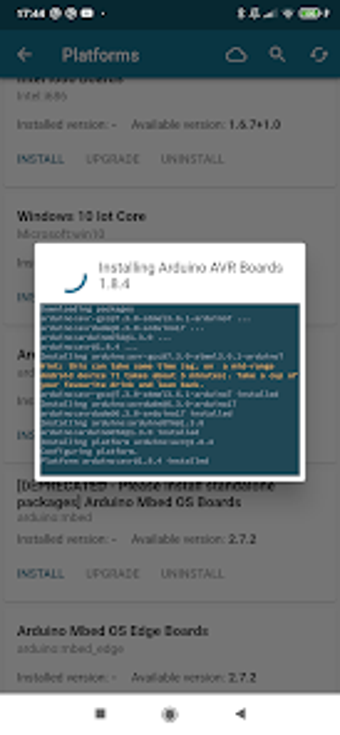
Arduino Studio Arduino Ide is a free software development application designed to bridge the gap between complex hardware programming and creative electronic projects. This IDE tool offers a streamlined environment that simplifies writing code, managing various libraries, and uploading instructions directly to your microcontrollers from your computer or compatible mobile devices.

Top Recommended Alternative

Bridging the gap between codes and components

Arduino Studio Arduino Ide functions as a central workspace where you can develop, test, and debug scripts for various electronic boards. It translates your logic into language the hardware understands, making it essential for anyone building automated systems or robotic prototypes. By using this tool, you can manage complex wiring logic without needing deep professional engineering experience right away.

The software features a built-in serial monitor that allows you to view real-time data from your sensors directly on your screen. You will also find an integrated library manager that simplifies adding pre-written code for components like displays or Wi-Fi modules. It's worth noting, however, that the application's interface and technical language may feel quite overwhelming or far too technical for beginners.

Dependable project assistant

Arduino Studio Arduino Ide is a reliable standard for hobbyists who need a functional bridge between their software ideas and physical hardware. While the interface is straightforward, the platform provides enough depth for advanced customization. Ultimately, the software offers a practical solution for those seeking a stable environment to bring their electronic inventions to life through consistent code deployment.


  • Pros

    • Sends your code to hardware instantly
    • Saves time with pre-made code blocks
    • Shows sensor results on your screen
    • Works with many different circuit boards
  • Cons

    • Steep learning curve for beginners
 0/1

App specs

  • License

    Free

  • Version

    1.4.0

  • Latest update

  • Platform

    Android

  • OS

    Android 13.0

  • Language

    English

  • Downloads

    19.1K

    Last month's downloads

    • 316
  • Size

    156.32 MB

  • Developer

    • Arduino Studio team
  • Download Options

    APK, Google Play

  • Filename

    Arduino_Studio_-_Arduino_IDE_1.4.0.apk

Program available in other languages


User reviews about Arduino Studio - Arduino IDE

Have you tried Arduino Studio - Arduino IDE? Be the first to leave your opinion!

Add review

You may also like

Alternatives to Arduino Studio - Arduino IDE

Explore Apps

Latest articles

Laws concerning the use of this software vary from country to country. We do not encourage or condone the use of this program if it is in violation of these laws.
Softonic

Is Arduino Studio - Arduino IDE safe?

100/100

Score result: Clean

This file passed a comprehensive security scan using VirusTotal technology. It is safe to download.

  • Virus free
  • Spyware free
  • Malware free
  • Verified by Security Partners

    VirusTotal logo

Scan Info

Last scan
Wednesday, May 7, 2025
Scan provider
VirusTotal · Full report

File Integrity

File
Arduino_Studio_-_Arduino_IDE_1.4.0.apk
SHA256
a4d54d8793e6d612f3babad5e9edd967b76db4a5ab498e64e9f99b150e6b0def
SHA1
466f824dc2da1f647672d5c308123b560dc40257

Softonic security commitment

Arduino Studio - Arduino IDE has been thoroughly scanned by our advanced security systems and verified by industry-leading partners. This file comes from the official developer and has passed all our security checks, showing no signs of viruses, malware, or spyware. For more information, visit our Security and Trust Center